Apart from being a freelance writer, I run a small marketing agency that helps brands with content creation, social media ads, and email campaigns. While it is a small business, I have a few employees who work with me, along with several clients with multiple deliverables for each of them. As someone managing the entire business by myself, it often gets overwhelming to keep track of all the work, projects, deliverables, timelines, finances, and whatnot. Owing to this, I have been looking for resource planning and management software for a long time. Now, there isn’t a scarcity of such tools out there. ERP solutions are plentiful, but most of them cost a substantial amount of money. Considering that this is a small business, I’m not willing to make that investment as yet. So, I started looking for software that could be self-hosted — to avoid paying hefty fees.
After rummaging through several forums and GitHub archives, I found ERPNext — an open-source Enterprise Resource Planning (ERP) tool that can also be self-hosted. While the standard version of ERPNext does involve subscription fees, you can choose to host the software on your local server if you wish to save a few bucks. Once you do that, you’ll realize why I fell in love with the software, and why I feel it’s the perfect tool for most small businesses.

Related
A bucketload of features
Once you get through the complex setup, though
Unfortunately, setting up ERPNext isn’t as simple as downloading and installing an app on your computer. You will have to self-host it in order to use it for free, which essentially means you need to have a server running a Linux distro. There’s also a Docker container, which I used to run ERPNext on my Mac. I don’t plan on exposing it to the internet, so a single instance of the tool on my laptop is sufficient for my needs. Once you run the container, set up a profile, and you can access the main dashboard, consisting of quick shortcuts to frequently visited sections of the tool.
The left pane has all the different sections that ERPNext offers, ranging from accounting, buying, selling, stock, and assets, to recruitment, payroll, employee leaves, shifts, and manufacturing. It’s a comprehensive solution that tackles most business needs. There are sub-categories within each vertical, such as payables and receivables under the accounting section. Having all this data in a single place helps cut down the use of multiple tools. Moreover, a central repository that multiple workers from a company can access streamlines the workflow to a large extent.
Manage invoices, inventory, and personnel
From HR to Finance, track every aspect of your company
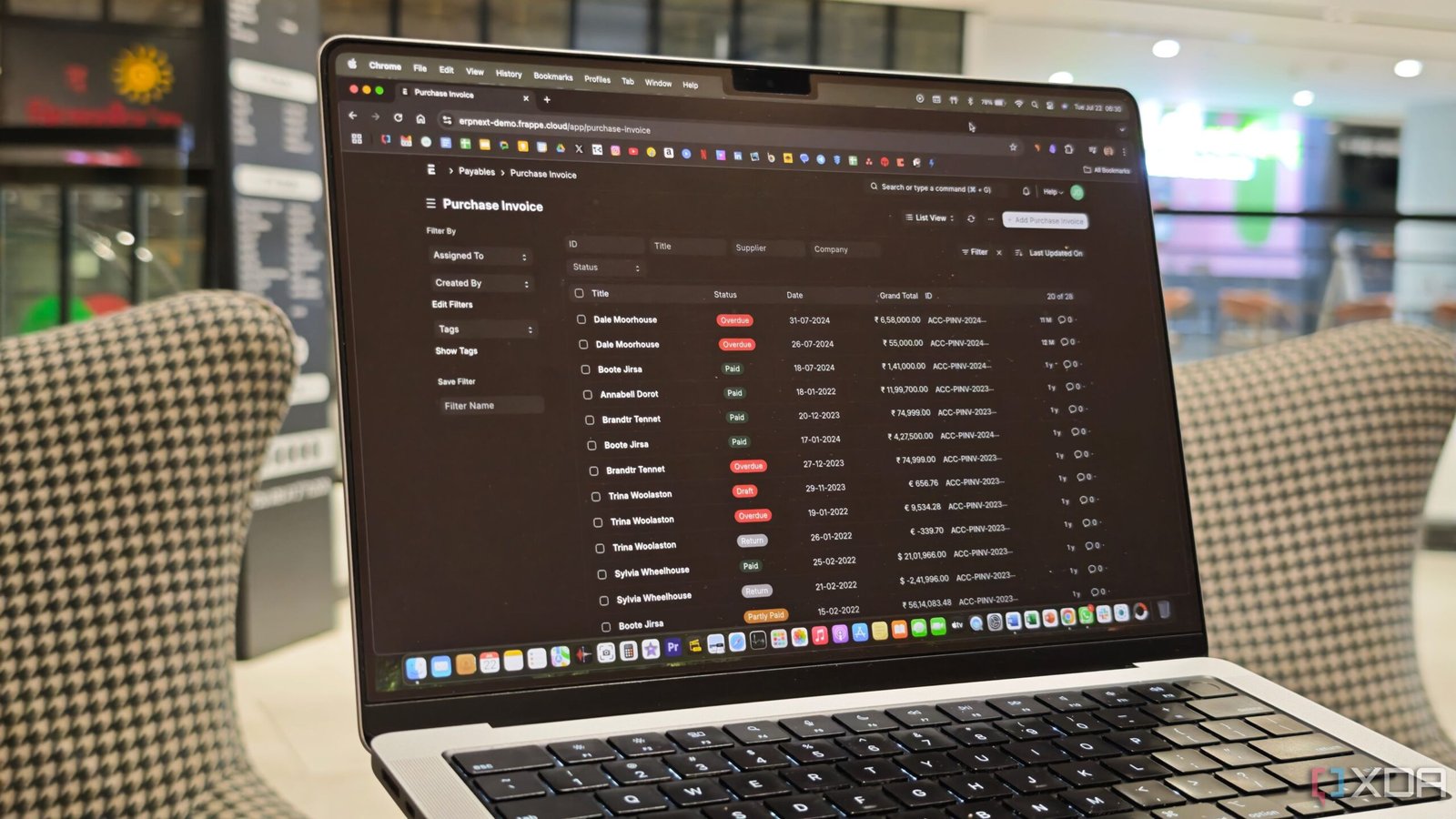
One of the best aspects of ERPNext is its simplistic, yet polished UI. I’ve used the trial version of some other ERP applications before, and they felt like I was trying to operate a spaceship. That’s a massive bummer for me, especially since I’m just starting out. Even if you have no prior experience with similar tools, ERPNext is easy to use. This is mainly because all the functions are laid out well, with simple labels that anyone can follow. Then comes the extensive set of features.
I appreciate how I can manage cash flows, record transactions, and generate financial reports like balance sheets and profit-and-loss statements in one go. These are tasks that would otherwise take up a substantial amount of time. If you’re a product-based company, you also get the option to track your inventory, manage sales orders, handle shipments and fulfillments, etc. You can also keep a tab on the material consumption, capacity of a certain line, etc., if you also manufacture your own goods. Apart from this, ERPNext also includes project management tools that can track timesheets, deadlines, budgets, etc., for each project. Finally, there are HR tools that handle employee records, marketing dashboards to manage content and leads, and a ticketing system that can be used for customer support. The best part is that ERPNext also integrates with Shopify — one of the most popular e-commerce platforms in the world.
It’s a complete end-to-end solution that has not only met my expectations so far, but has exceeded them. If I have to nitpick, I wish the UI had a little more flair. It’s easy to use, but it’s quite text-heavy. I would prefer buttons, some colorful elements here and there, and different demarcations for the various types of tools, so that it’s easier to identify them.
I can’t believe it’s free
Generally, tools like these are quite pricey, since they provide an end-to-end solution for managing all the resources in a company. That’s exactly why I was pleasantly surprised to see that ERPNext can be self-hosted for free. While the setup can be slightly cumbersome — especially if you’re new to self-hosting — the result is totally worth it. Managing your employees’ payroll, tracking the attendance of your workers, and viewing a dashboard with all the pending and paid invoices — all in one place, is definitely a lifesaver. There’s a learning curve for sure, but that’s applicable to pretty much any ERP software. In fact, I found ERPNect to be quite user-friendly, especially if you haven’t used other similar tools that have overwhelming UIs.

Related
4 reasons this self-hosted project management tool became my new favorite
A focused, privacy-friendly project manager that just makes sense.