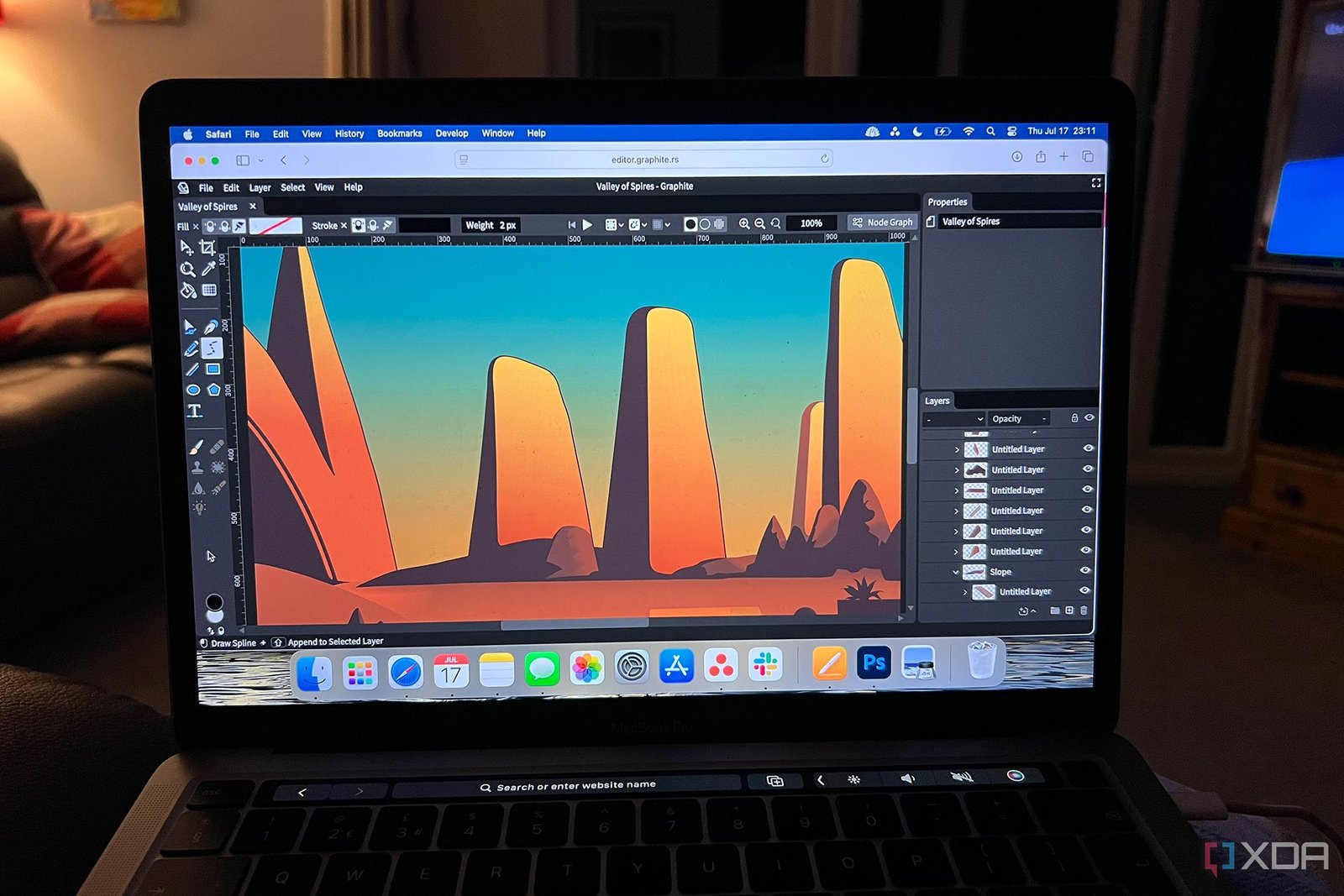
In the world of finding alternative software to my Adobe workflow, I often see the same names popping up. Krita, Inkscape, Darktable, GIMP, Photopea; the names are recycled on every list of Adobe alternatives. But then I discovered Graphite — this open-source browser-based tool is one I hadn’t heard of. It offers refreshing node-based editing along with both raster and vector editing, which could allow me to replace almost my entire Adobe workflow with one tool. There’s a lot of creativity held in this relatively new tool.

Related
6 open-source alternatives to digital drawing apps
There aren’t many open-source digital drawing apps for tablets, but there are plenty of workarounds for them
It has an in-depth upcoming roadmap

Unlike some creative software tools like Inkscape or GIMP which have been around nearly as long as Adobe’s older tools, Graphite is relatively new on the scene. Beginning only in 2021, Graphite has been an open-source project that’s been added to with great success in only four years. Its community is looking at an in-depth roadmap for future additional features too.
I’ve worked with many creative software tools, and I often find that newer tools already impress me in a shorter space of time than some of the older tools with more history. For example, Pixelmator Pro for MacOS offers great creative optionsthat I can’t find in Photopea or Krita which have both been around exponentially longer.
Graphite is launched directly in the browser for accessible use. It has a very similar interface to Photopea — which, by and large, is a replica of Photoshop itself. It doesn’t feel as bougie as Photoshop, but most tools and features are in similar places. It feels familiar enough to jump right in without a steep learning curve.
Node-based editing for non-destructive editing techniques
Freedom in the form of flexibility
I’ve never used a node-based editor before finding Graphite. Most creative tools rely on being layer-based, and, as a result, often only offer destructive editing. Until more recently, some creative programs introduced non-destructive editing more fluidly. GIMP 3.0 introduced non-destructive editing workflowsin 2025, for example, and there are some non-destructive workflows in Adobe tools too.
Node-based editing — if you didn’t already know — uses a flowchart of interconnected nodules to represent each action you create in the tool. This includes actions like recoloring an item, moving an anchor point, or adding text.
You’re not losing layer-based editing by using node-based options. Graphite still has layers, but it has more detail in adding and editing features using nodes instead of relying on only layers.
Raster, vector, and animation. What else?
Graphite could very well replace most of my Adobe creative workflow with just one tool. With Adobe, I would use Photoshop for raster-based editing, including photo editing — with occasional help from Lightroom — and switch to Illustrator for anything vector-based. If I wanted to add animation to my work, I could struggle my way through using Photoshop’s animation timeline or I could switch over to Adobe After Effects, which is slow and crash-heavy.
In Graphite, I will be able to do all those things in one program. And the features in the upcoming roadmap include even more.
Admittedly, Graphite’s raster editing features are not extensive like Photoshop’s. It largely works for using rasters for reference images when creating vectors, and as such, you cannot import most raster-based formats like JPEG, PNG, or PSD. It is expected that raster editing will be fully available in the future, though.
Similarly, animation in Graphite isn’t currently available, but it is being worked on by contributors and developers. There’s a mockup of the node-based animation timeline set to feature in Graphite’s future on the website. There are also plans to add desktop publishing abilities and VFX tools to Graphite, taking it into a full all-in-one tool encompassing everything you might use multiple Adobe programs for.
Currently, vector editing is where Graphite shines in its existing tools and features. It’s impressive enough that I’m willing to wait for future features to arrive, and I’m confident in their abilities when they do.

Related
5 Omni Tools features that replace Photoshop entirely for free
Omni Tools has a fantastic free selection of creative tools to rival Photoshop
It works well and it’s pretty
I love open-source creative tools, not only for their prices — free — but also for the way they bring creative communities together so nicely. The unfortunate thing is that most open-source tools are ugly in design. While aesthetic doesn’t specifically make a tool good or bad, it does affect whether I want to use it or not.
Graphite is a well-designed tool, since many of its main contributors have backgrounds in UX design and product architecture.
At present, Graphite is only available as a browser tool, but there are future plans for it to become a native app for major operating systems like Windows, MacOS, and Linux. This is alongside extensive future features, including live collaboration — pitting Graphite closer to its Adobe competitor — full-featured raster manipulation tools, and more robust vector rendering too.
Graphite could be the future of graphic design
With a project intention to keep improving until Graphite becomes industry standard in the design world, I have high hopes for this open-source tool. The main team of contributors are made up of Americans, Brits, and Germans with a background in design, ensuring that this open-source tool won’t be ugly like many others. I’m impressed by the roadmap for Graphite’s near future, and having seen what’s been made within the short time of its existence, I don’t doubt that Graphite could become a household name in only a few short years. I’d happily shift my creative workflow from Adobe tools onto Graphite at the rate things are going.